
1. Home
  2. Getting Started
  3. Enhance Panel Quickstart
  4. How do I add a new email address?
  1. Home
  2. Enhance Panel
  3. Email Information
  4. How do I add a new email address?

How do I add a new email address?

To do this you first need to be logged into enhance panel you can learn how to do this HERE then come back to this article.

Adding email addresses is quick and easy

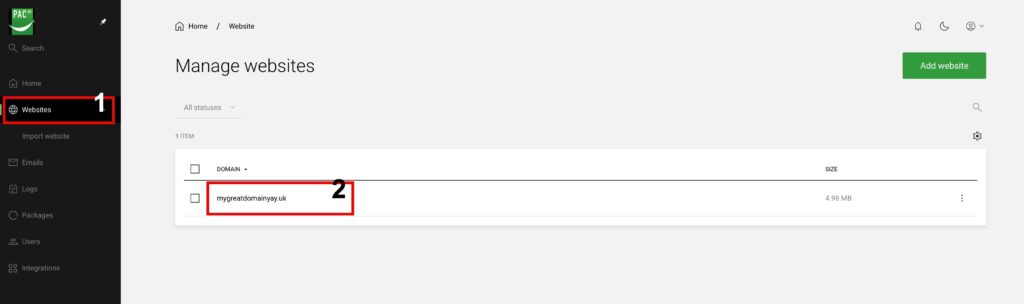
To add a new email address you need to first select the website the email address will belong to as shown below as an example.
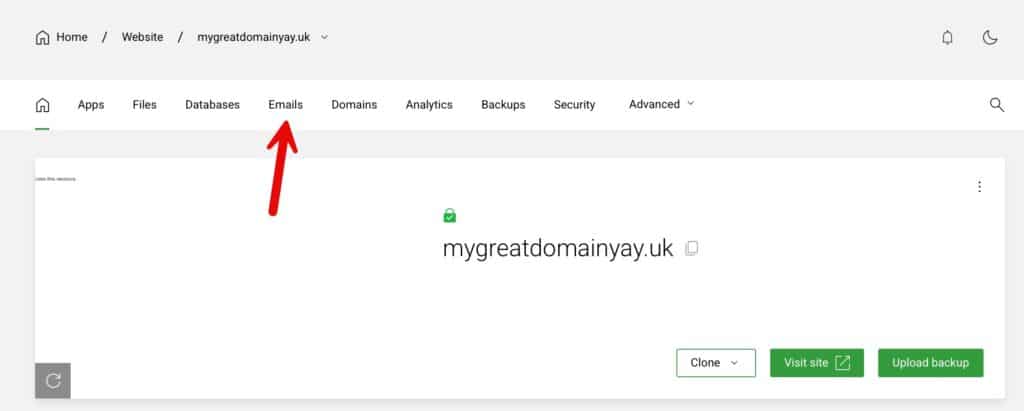
Now view the email addresses setup for this webiste

Click Emails to view any email addresses already setup or add a new one.
Next click “Add Account” to add the new address

This will take you to a page where you can enter the part before the @domain and enter the full name for the email account holder and a password then simply click “Add”
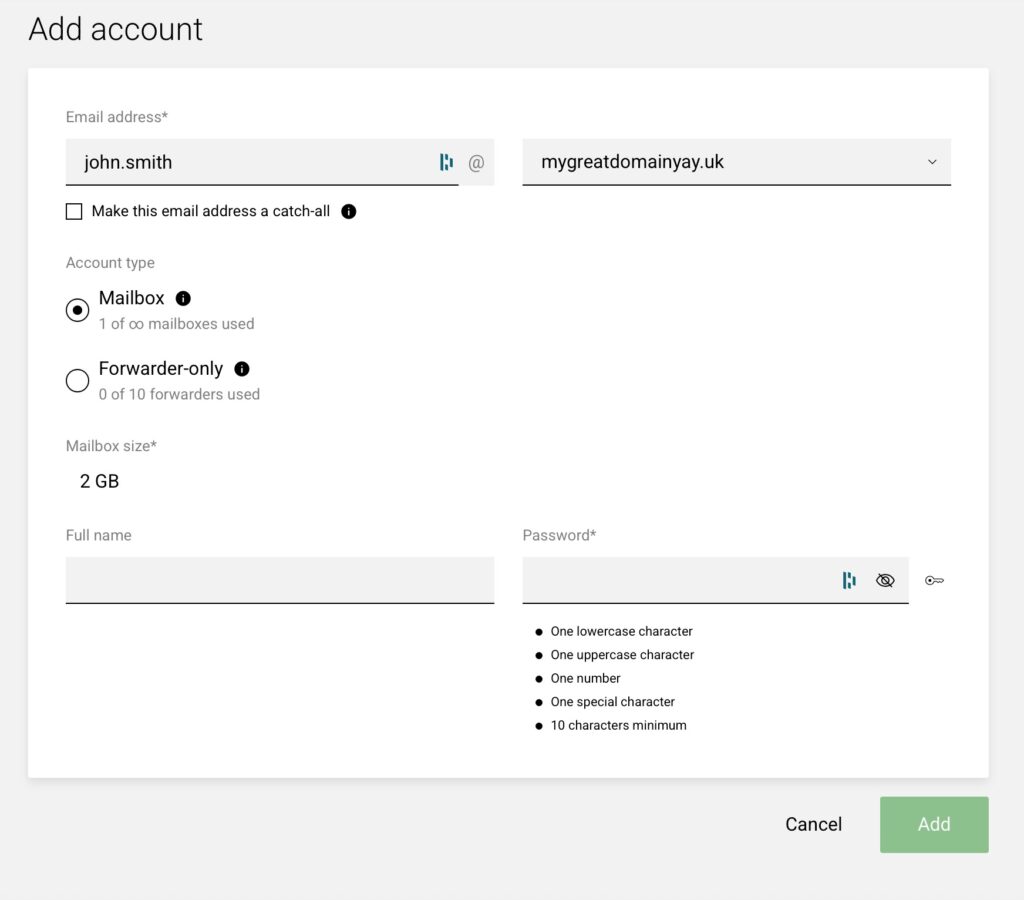
Don’t worry if you do not see as much information as the screenshot below initially, once you start typing it will show you the full information like the screenshot below.

Your email account is now setup

Your username is the full email address of the email account and the password is the password you set when creating the account

Email client settings

The settings to use in your email program (outlook/macmail/iPhone/android etc) are below

username: the full email address of the email account you want to add
password: the password you set when creating the account

Incoming/outgoing server name: mail.yourdomain.com

IMAP: Port 993 using SSL/TLS
SMTP: Port 465 using SSL/TLS 

POP (not recommended*): Port 995 using SSL/TLS

*POP3 is an old mail protocol that downloads your email off the email server which means you cannot view your mailbox on all devices as the first one to check after new mail will download it and remove it from the email server and is not recommended.

We have detailed setup guides for most email clients HERE this will open in a new TAB so you can refer to these settings.

Webmail access

To access webmail from any browser please visit https://webmail.pacwebhosting.uk

Login with your full email address as the username and your email address password.

Updated on December 3, 2025
Was this article helpful?

Related Articles

Need Support?
Can't find the answer you're looking for? Don't worry we're here to help!
GET SOME HELP!