
Viewing your support tickets
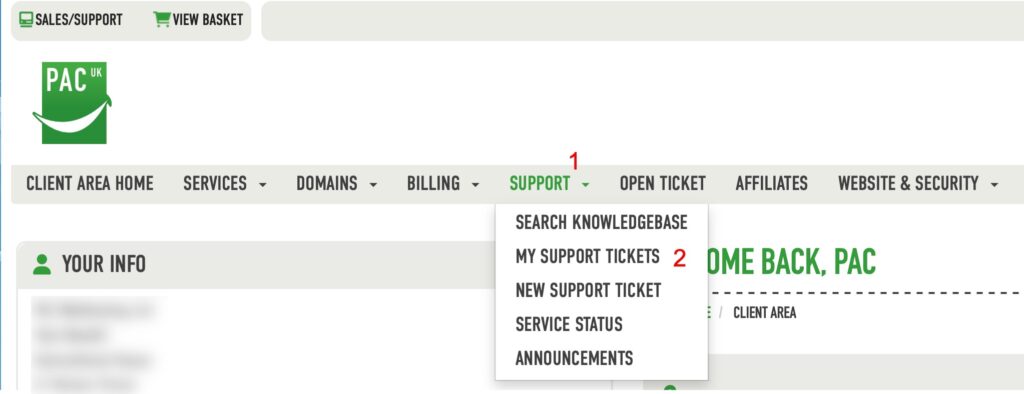
You can view your support ticket history via this link https://pacwebhosting.uk/mytickets or you can once logged in to your client area click the menu as shown below
General support ticket info
Please always keep a support ticket to a single issue/question, this helps to avoid mistakes and keeps tickets nice and tidy and clear as when they become about multiple issues they can quickly become confusing!
There are no limits to the amount of tickets you can create so if you have another issue or question please always open a new ticket.
In addition if you have been contacting us about an issue and need to contact us again about it please don’t open another and always use the same ticket so we have a ready history of what has already happened.
