
1. Home
  2. Getting Started
  3. Client Area Quickstart
  4. How do I view or download my invoices?
  1. Home
  2. Client Area
  3. How do I view or download my invoices?

How do I view or download my invoices?

You first need to be logged into your client area to view invoices. We also have an article to learn how to login to your client area

Accessing your invoices

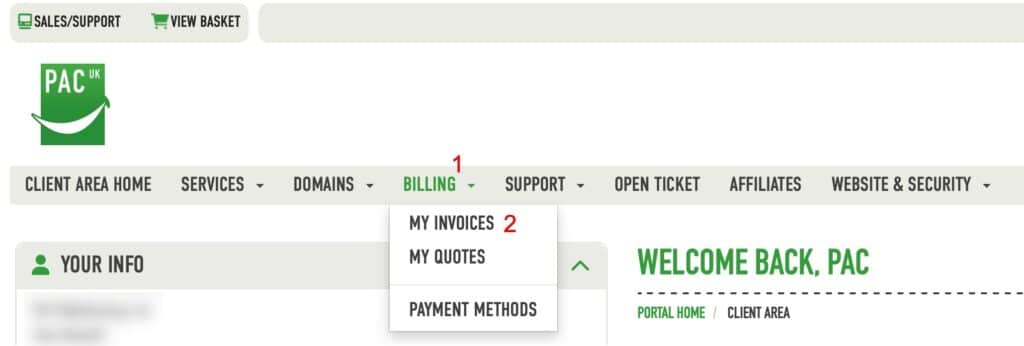
You can go directly to your invoices via this link https://pacwebhosting.uk/invoices or you can once logged into your client area click the menu as shown below
Selecting your invoice

Now from the list of invoices provided, choose the invoice by clicking on the status at the end of the relevant line.
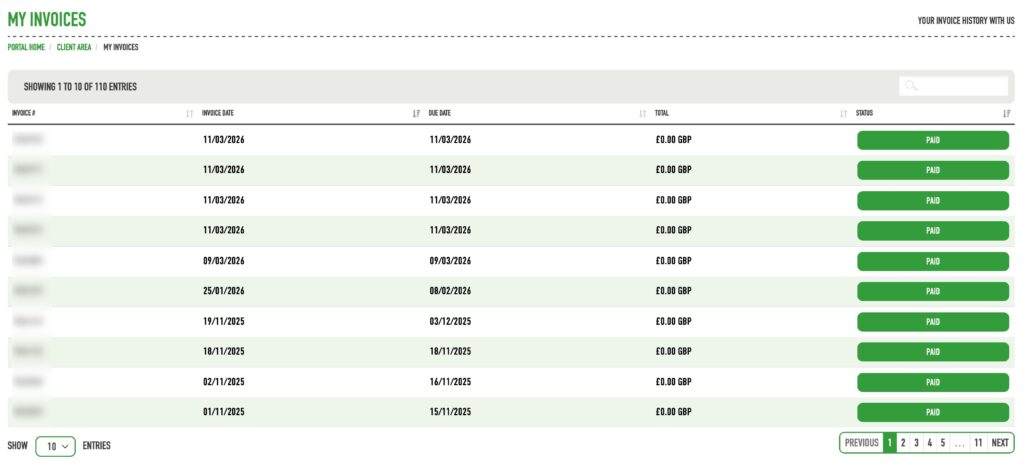
In this particular example the status are all PAID however this could be PAID, UNPAID etc

View, Download and Print your invoice

You will now be shown your invoice and the details within it.

From here you can simply view it, print it or download a copy for your accounts by selecting print or download accordingly.
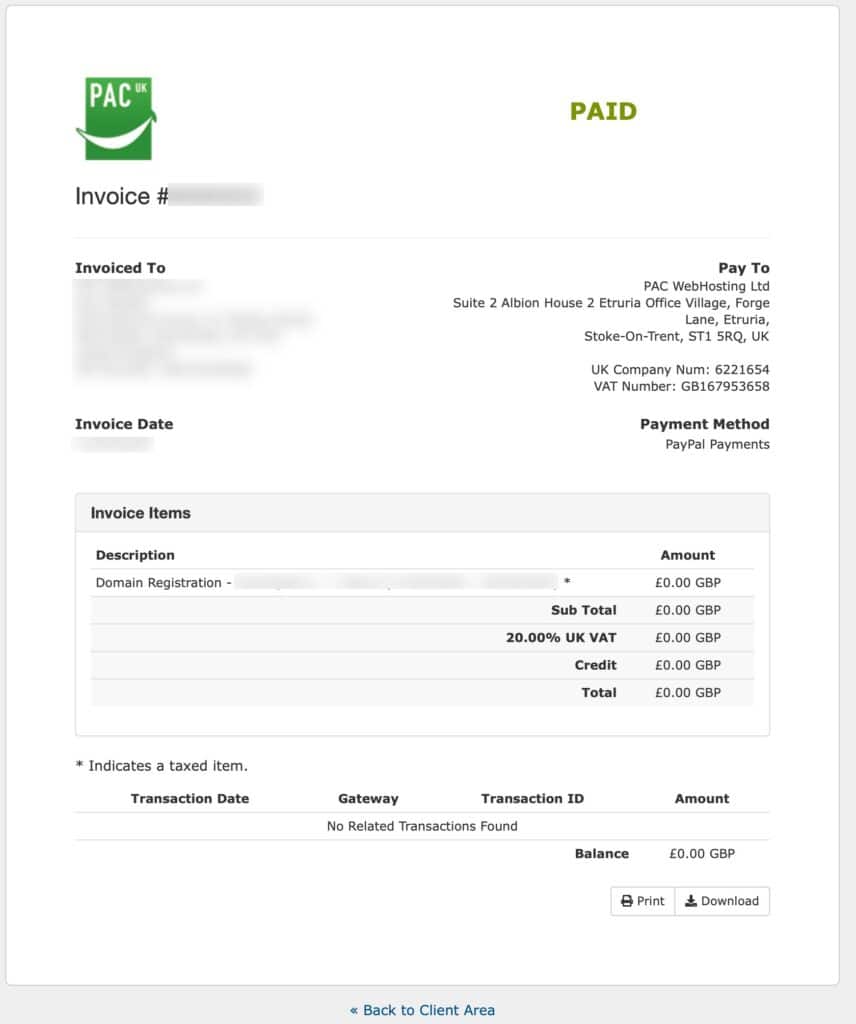
When you are finished with the invoice click “<< Back to Client Area” to be taken back to your list of invoices.

Do you have any questions regarding billing?

If you have any queries regarding your billing, please first try searching the knowledge base as your question may have already been answered and will offer you the quickest route to an answer.

If you do not find what you’re looking for please use this link to view further methods of support. https://help.pacwebhosting.uk/knowledge-base/contacting-support/

Updated on March 17, 2026
Was this article helpful?

Related Articles

Need Support?
Can't find the answer you're looking for? Don't worry we're here to help!
GET SOME HELP!