1. Home
  2. Getting Started
  3. Client Area Quickstart
  4. Where do I see a list of my domains?
  1. Home
  2. Client Area
  3. Where do I see a list of my domains?

Where do I see a list of my domains?

You first need to be logged into your client area to view your domain names, we have an article to show you how: learn how to login to your client area

Viewing your domain names

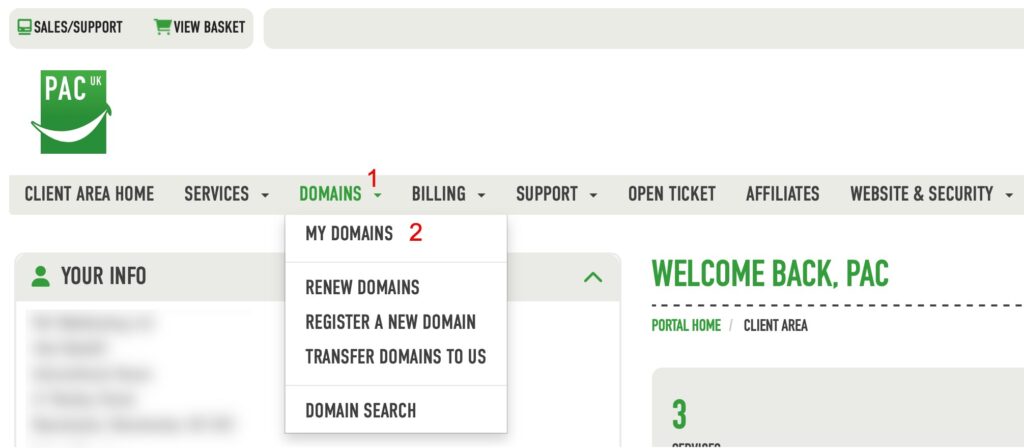
You can view and manage your domain names via this link https://pacwebhosting.uk/mydomains or you can once logged in to your client are click the menu as shown below

You will now see a list of all the domains you have registered or transferred to your account with PAC and can perform various functions for example changing nameservers or amending contact details.

Updated on March 19, 2026
Was this article helpful?

Related Articles

Need Support?
Can't find the answer you're looking for? Don't worry we're here to help!
GET SOME HELP!