
Accessing your invoices
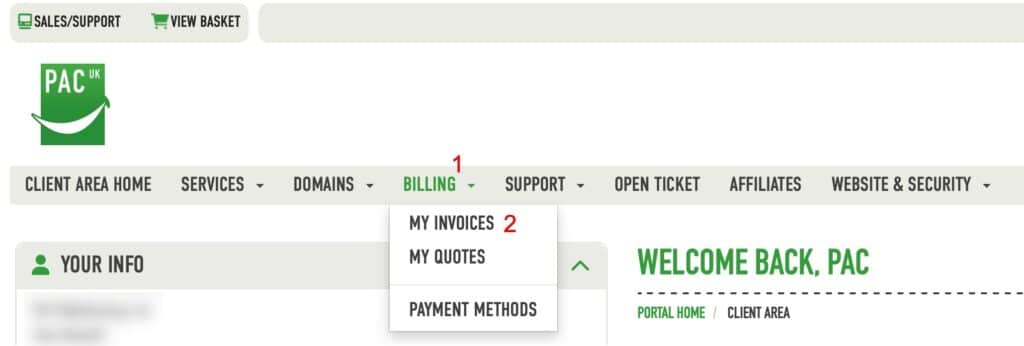
You can go directly to your invoices via this link https://pacwebhosting.uk/invoices or you can once logged into your client area click the menu as shown below
Selecting your invoice
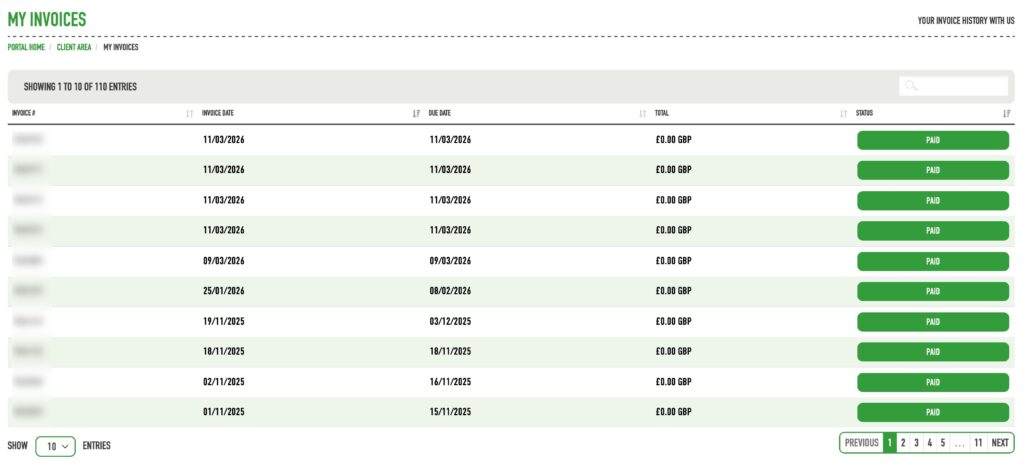
Now from the list of invoices provided, choose the invoice by clicking on the status at the end of the relevant line.
View, Download and Print your invoice
You will now be shown your invoice and the details within it.
From here you can simply view it, print it or download a copy for your accounts by selecting print or download accordingly.
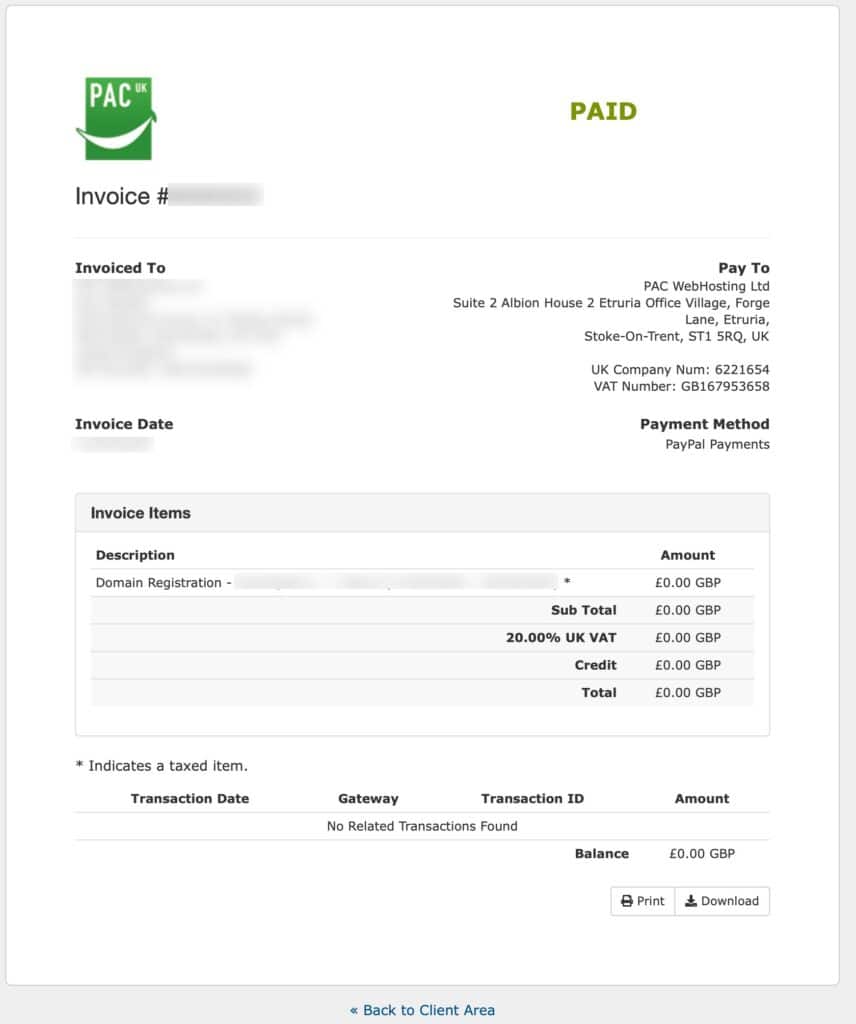
When you are finished with the invoice click “<< Back to Client Area” to be taken back to your list of invoices.
