
Navigate to your my account page
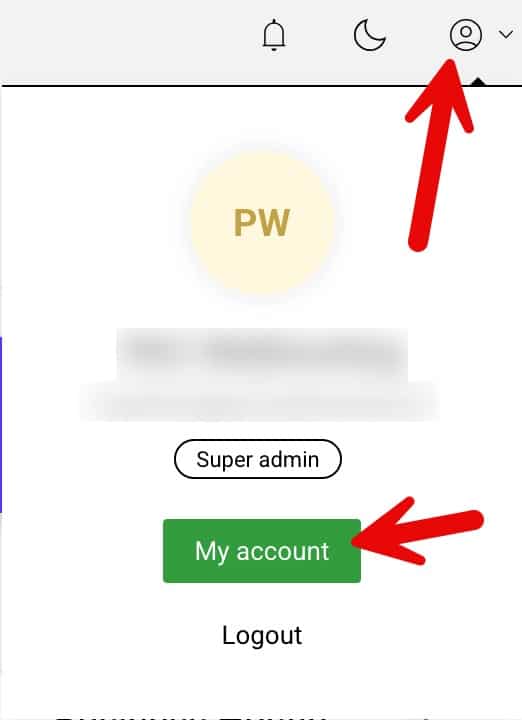
To do this click the person icon in the top right as shown below and then click “My account”
Enable two-factor authentication
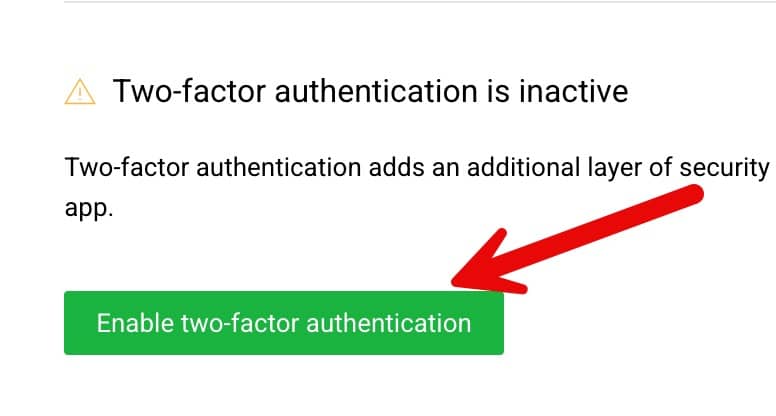
Scroll down to the password section where you will find a button to enable two factor authentication as shown below, please click “Enable two-factor authentication”
Scan the QR code
Next scan the given qr code with your preferred authenticator app
Now open your preferred authenticator app and scan the QR code displayed on the enhance my account page, in google authenticator for example in the bottom right you will find a + so click that and select “Scan a QR code” the app may ask for permission to use your phones camera.
Point the camera at the QR code and the app will add it to your authenticator application.
Enter the code
Enter the current code generated in your authenticator app in the boxes next to the QR code you scanned to complete the enabling of 2FA
Log back in
Enhance will now log you out, simply log back in with your usual email address and password and this time you will be prompted for the current code in your authenticator application, simply enter it to be logged in.
