
First login to your enhance panel
To do this first you need to login to your enhance panel, you can see how to do that HERE and then come back to this article.
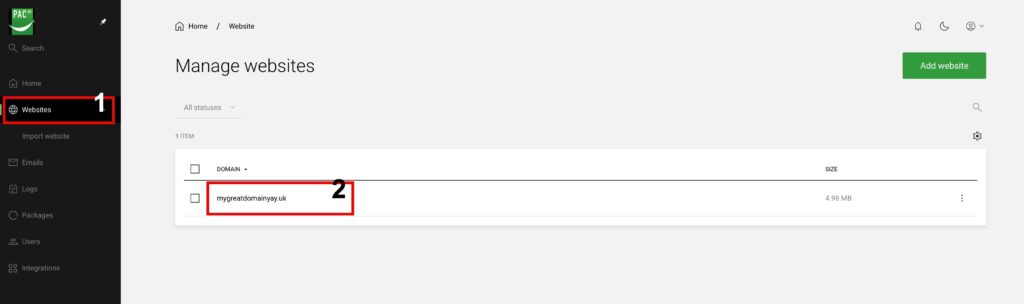
Next select the relevant website
Choose the website you need this information for like below.
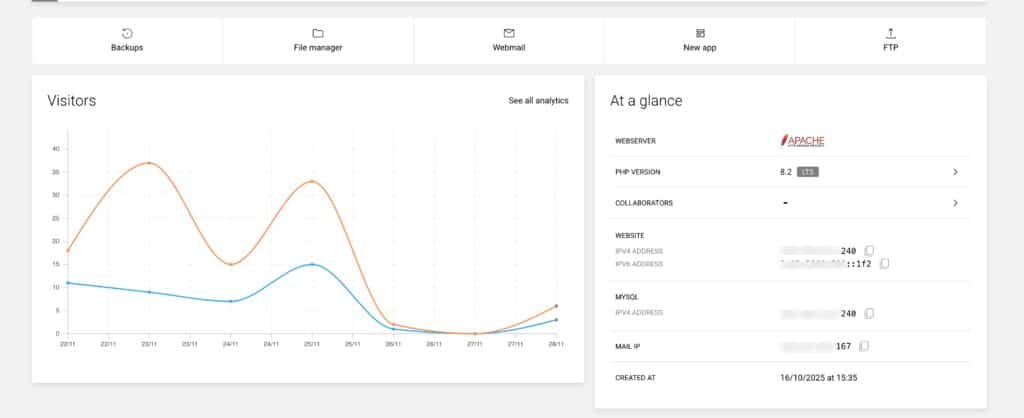
View the information
Advice if using the email facility
If you are going to use your enhance hosting for email and you are using third party nameservers you will need to setup a DNS entry specifically for your MX record.
We recommend using mail.domainname.com and setting it to the IP provided as “MAIL IP”.
Then set your MX record as mail.domainname.com
