
1. Home
  2. Enhance Panel
  3. Website Management
  4. Viewing and managing my websites

Viewing and managing my websites

To do this you first need to be logged into enhance panel you can learn how to do this HERE then come back to this article.

How to list your websites

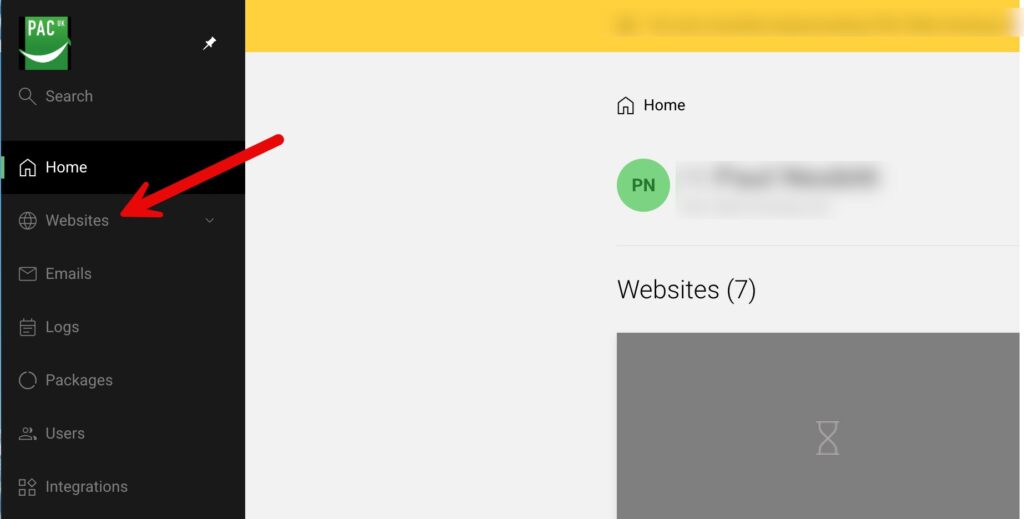
To view a list of websites within your your enhance control panel across all your hosting packages please click Websites from the menu as shown in the screenshot below.
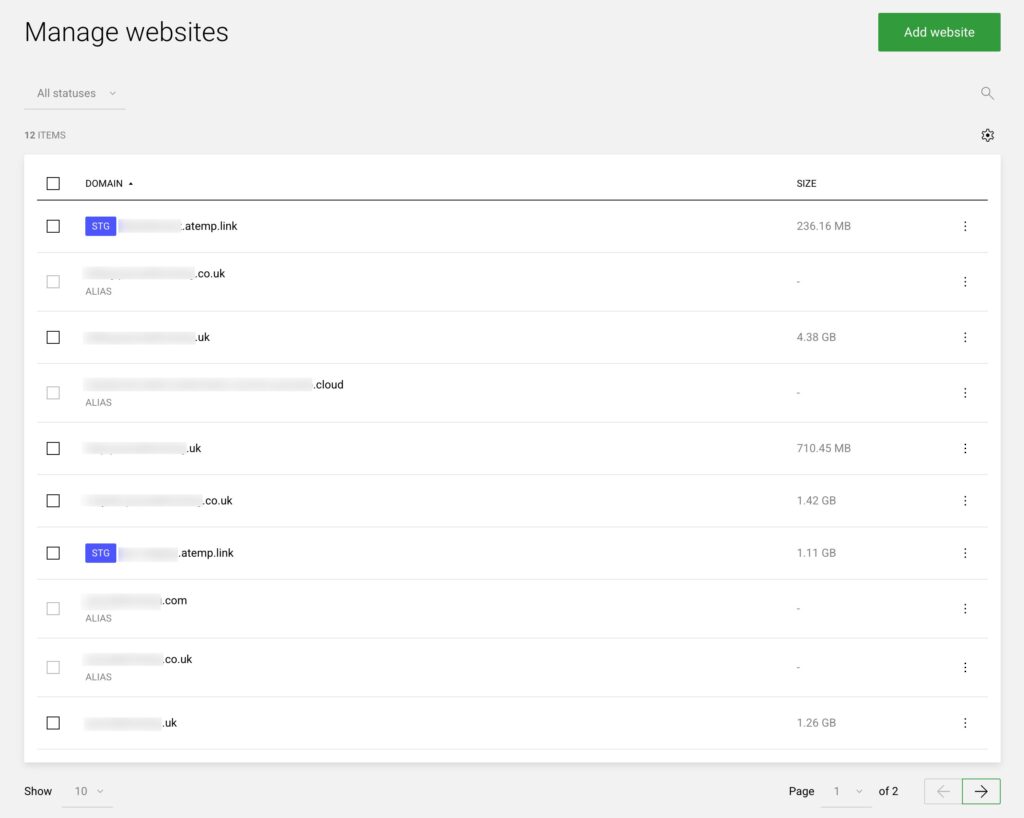
Next select the website you would like to view or manage

Select the website from your list by clicking on the relevant line of the website you would like to view or manage
Now you are dropped into the management for that website

An example of how that looks is below
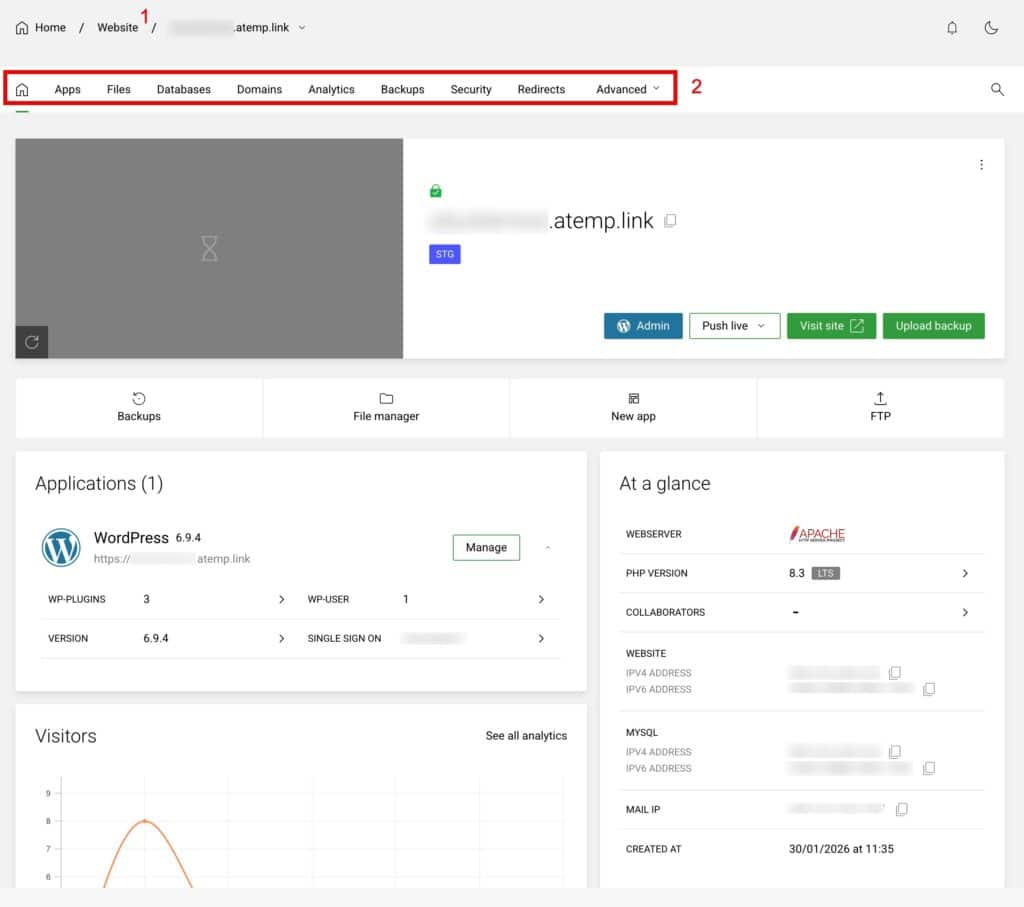
Within this view you can easily switch between websites to manage by clicking Website (shown as 1 above) and selecting another of your websites to manage.

You now have a menu to manage your selected website (shown as 2 above) you will find details on each section and how to use it within the full Enhance documentation at this link https://help.pacwebhosting.uk/article-categories/enhance-panel/

Updated on March 19, 2026
Was this article helpful?

Related Articles

Need Support?
Can't find the answer you're looking for? Don't worry we're here to help!
GET SOME HELP!